4 Powerful Modes
Word, Slides, Sheets & PDF.

 Cepe Paper
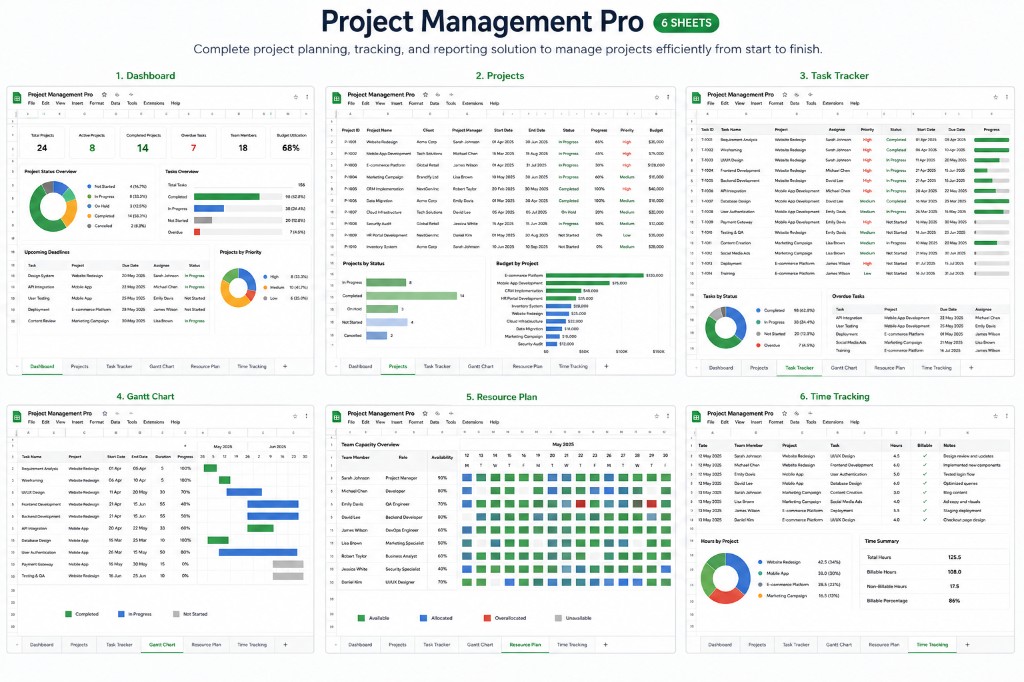
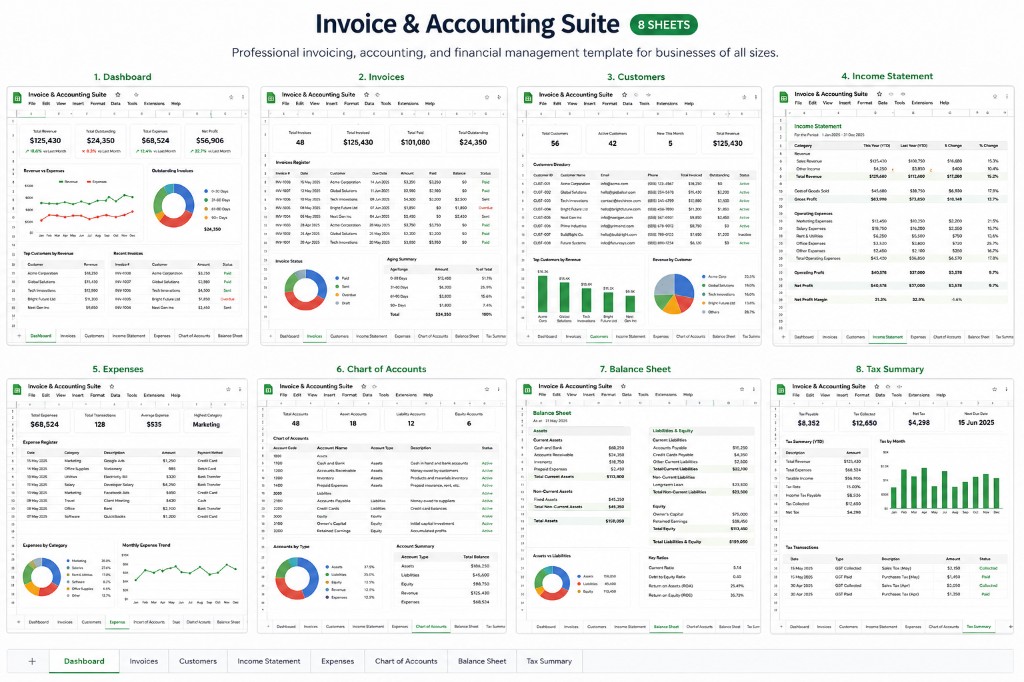
Create documents, presentations, spreadsheets and PDFs. Add AI, cloud sync and signatures when you need them.
Works with Word, PowerPoint, Excel and PDF formats.
Cepe PaperShare. Review. Sign. Done.
Share any Cepe Paper document with a time-limited link. Set permissions, collect signatures, and receive a signed copy — all in seconds.
Documents, slides, spreadsheets, and PDFs in one app. Cepe Sign, Automatic cross-device Cloud Sync, CAI, and team features unlock on the plans that include them.
Word, Slides, Sheets & PDF.
Basic templates on Free. Premium templates on Creator and above.
Starter Cepe Cloud storage on every account. Automatic cross-device Cloud Sync on Creator and above.
Production traffic uses HTTPS/TLS. Member files are scoped to your account with access controls and database row-level security where applicable.
Team workspaces, shared folders, and admin controls on Business and Enterprise.
Send time-limited review links for comments, signatures, and signed PDFs — Creator and above.
Create, edit, and summarize faster with CAI on Professional and above.
Personal activity tracking on Professional; Team Activity Tracker for team attendance and document work on Business — no screen recording.
Product
These are product facts you can check on this site — templates, plans, and policies. We do not publish customer quotes or star ratings.
Files you already use
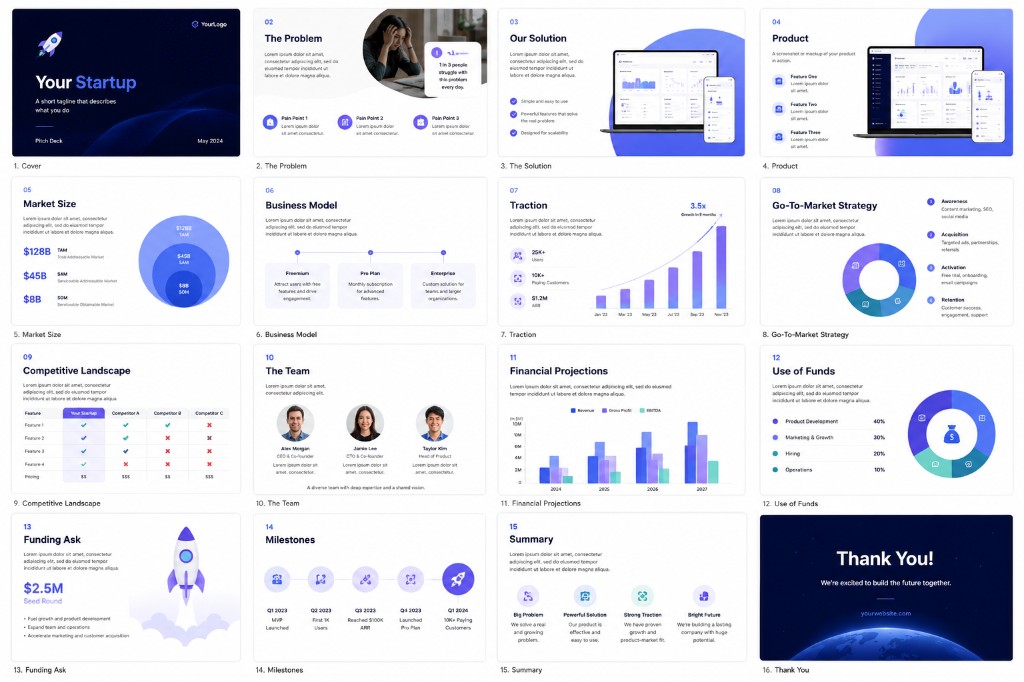
Documents, presentations, spreadsheets, and PDFs — in the browser or on the desktop app. Free accounts include both.
Local editing
Save and work on local projects on every plan, including Free.
Cepe Cloud storage
Starter Cepe Cloud storage on every signed-in account. Automatic cross-device Cloud Sync starts on Creator.
Templates and exports
Basic templates and Export to PDF on Free. Premium templates on Creator and above. Advanced exports on Professional and above.
Google account access
Cepe Paper is the document studio from Cepe, developed by Nexaverse Technology. This homepage describes the product. You can read it without signing in.
You can create a Cepe account with email or Sign in with Google. When you sign in with Google we receive your email address, name, and profile photo so we can create and authenticate your account. We do not use Sign in with Google to read your Gmail, Contacts, Calendar, or Drive.
Connecting Google Drive is optional and separate from sign-in. If you connect Drive in the editor (Creator and above), Cepe Paper can open and save the files you choose. We do not sell Google account data, and we do not use it for advertising.
Privacy Policy — what we collect, how long we keep it, and how Google Sign-In and Drive are used.
Download Cepe Paper for Windows, Mac or Linux — or launch it online from your members dashboard.
Subscribe for Cepe product updates, new features, templates, and announcements. No spam — unsubscribe anytime.
By subscribing, you agree we may email you about Cepe products and updates. See our Privacy Policy.